
- No product in the cart.
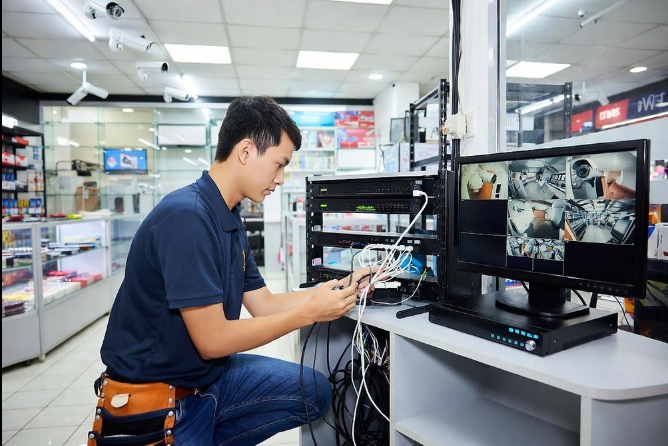
Common CCTV Camera Problems and Repair Solutions: A Complete Guide
CCTV cameras play an important role in protecting homes, offices, shops and commercial properties. They help monitor activities, record important events and provide visibility over areas that may otherwise be difficult to supervise.
However, like all electronic systems, CCTV cameras can develop technical problems over time. A camera may stop displaying video, a DVR may fail to record, or remote monitoring may suddenly stop working. These issues can affect surveillance coverage and create inconvenience for property owners.
Understanding common CCTV faults can help you identify when basic troubleshooting is possible and when professional assistance is required.
MTechnocrat Security provides CCTV troubleshooting and repair support in Delhi NCR for customers experiencing problems with their surveillance systems.
1. CCTV Camera Not Showing Video
One of the most common CCTV problems is a camera displaying a black screen or no video signal.
Possible Causes
- Power supply failure.
- Loose or damaged cables.
- Faulty camera connectors.
- Incorrect camera settings.
- DVR or NVR configuration issues.
Possible Solutions
Check whether the camera is receiving power and inspect the cable connections. If the issue continues, the camera, power supply or recording device may require technical inspection.
2. CCTV Camera Showing Blurry Images
Unclear footage can make it difficult to identify people, vehicles or other important details.
Possible Causes
- Dust or dirt on the lens.
- Incorrect focus.
- Poor camera positioning.
- Damaged lens or camera components.
- Low-quality video settings.
Possible Solutions
Clean the lens carefully and check the camera angle and focus. If image quality remains poor, a technician can inspect the camera and its configuration.
3. DVR or NVR Not Recording
A CCTV camera may display live video while the recording system fails to save footage.
Possible Causes
- Hard disk failure.
- Incorrect recording schedule.
- Storage errors.
- DVR or NVR configuration problems.
- Power interruptions.
Possible Solutions
Check recording settings, storage status and playback functionality. If the recording device reports a hard disk error, the storage drive may need professional testing or replacement.
4. CCTV Camera Showing Offline
IP cameras may become disconnected from the network, preventing users from accessing live footage.
Possible Causes
- Internet or network interruptions.
- Faulty Ethernet cables.
- Incorrect IP settings.
- Power supply issues.
- Router or switch problems.
Possible Solutions
Check network connectivity and inspect cable connections. Restarting the network equipment may resolve temporary issues, but recurring disconnections require further troubleshooting.
5. CCTV Night Vision Not Working
Night vision problems can reduce surveillance effectiveness in low-light environments.
Possible Causes
- Faulty infrared LEDs.
- Incorrect camera settings.
- Insufficient power.
- Obstructions near the camera.
- Hardware failure.
Possible Solutions
Inspect the camera at night, verify its settings and ensure that the lens and infrared area are unobstructed. Persistent problems may require component-level inspection.
6. CCTV Mobile Viewing Not Working
Remote monitoring allows users to access their cameras through compatible smartphone applications. However, connectivity or configuration issues may interrupt this feature.
Possible Causes
- Internet connectivity problems.
- Incorrect application settings.
- Changed network configuration.
- Outdated software.
- Device compatibility issues.
Possible Solutions
Check the internet connection and confirm that the camera or recording device is configured correctly in the application. If the issue persists, technical assistance may be required.
7. CCTV Camera Keeps Restarting
Frequent camera restarts may indicate an unstable power supply, overheating or an internal technical fault.
Check the power adapter and inspect the installation environment. Avoid repeatedly restarting equipment without identifying the underlying cause.
When Should You Contact a CCTV Repair Technician?
Basic checks such as inspecting cables, verifying power and cleaning lenses may resolve minor problems. However, professional assistance is recommended when:
- Multiple cameras stop working simultaneously.
- The DVR or NVR repeatedly fails.
- Important footage is missing.
- A camera has physical damage.
- Network problems continue after basic troubleshooting.
- Equipment requires internal repair or replacement.
Opening electronic equipment without appropriate knowledge may cause further damage or create electrical hazards.
How to Reduce CCTV Camera Problems
Preventive measures can help reduce technical issues:
- Schedule regular camera inspections.
- Keep lenses and camera housings clean.
- Protect outdoor connections from moisture.
- Use compatible power supplies.
- Monitor hard disk health.
- Check recording schedules periodically.
- Maintain proper ventilation around recording devices.
- Arrange technical support when recurring problems appear.
Conclusion
CCTV camera problems can affect the reliability of your security system, but timely troubleshooting and appropriate repair can help restore normal operation.
Whether you are facing a camera offline issue, recording failure, blurry footage or remote viewing problem, identifying the cause is the first step towards a solution.
MTechnocrat Security offers CCTV troubleshooting and repair support in Delhi NCR. Contact our team to discuss your surveillance system and explore suitable technical solutions.
Get in Touch with MTechnocrat Security
Call / WhatsApp: 8796755520
Email: mtechnocratsecurity@gmail.com
Address: Ramphal Chowk, Sector 7, Dwarka, New Delhi
Website: https://mtechnocrat.com/
Reliable Security Starts with a Reliable Surveillance System.http://cpplus.com